
Sometimes you find yourself in the wrong place at the wrong time. No, this was not rain at a picnic, but rather an unfortunate intersection of the early days of a preview feature and full steam ahead development.
In reality, the following may only help a small percentage of folks, who through bad timing and luck, find themselves in a similar situation. But when there are zero Google results for the error message, it’s probably worth writing about.
The Recycle Bin
The Recycle Bin is a great new feature of Power Platform that will undoubtedly help roll back some accidental deletion of records.
(More info on the Recycle Bin feature: https://learn.microsoft.com/en-us/power-platform/admin/restore-deleted-table-records)
Still in preview, this feature seems to be enabled in many environments. Supporting this new feature are a couple of components. One is a new table (Deleted Record Reference), and 1:N relationships on all tables where the feature is enabled(xyx_tablename_DeletedItemReferences).
The problem
As of the time of writing, when enabling the recycle bin on a new or existing table, 1:N relationships are added between the new table and the Deleted Record Reference table. Those relationships live in a managed layer, in a solution called Basic.
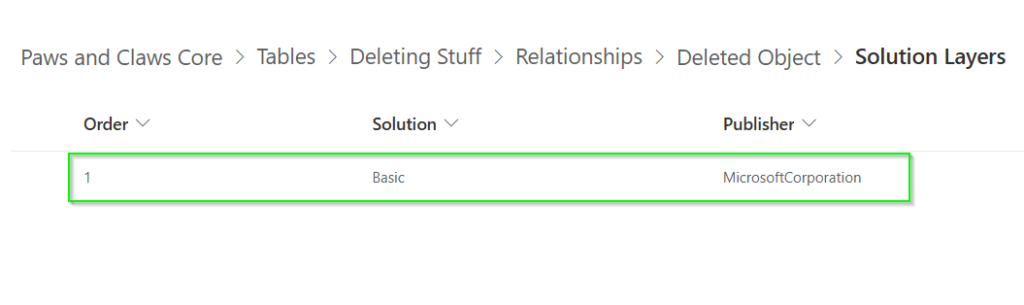
However, nearer the beginning of the preview window, there is evidence in some environments that the relationships were instead added to the unmanaged layer. In our case, they were also added to our unmanaged solution. The mechanism by which they were added to the solution, in our case, is up for debate. My best theory is that it was added because we had Include All Assets selected for our table in the solution. But I cannot discredit the possibility that it may have been added manually, be it accidentally or on purpose. Ultimately, it doesn’t matter.
The unmanaged solution with this relationship was exported as managed and brought into a new environment.
The problem surfaced when trying to do a managed solution deployment with the relationship removed. On deployment, we were presented with the following error message:
Entity Relationship: xyx_tablename_DeletedItemReferences Cannot be deleted since it is not a custom entity relationshipAs previously mentioned, our managed solution had the relationship between one of our tables and the Deleted Record Reference.
Somehow, for one of our tables, this became the only reference for this relationship in the target environment. The “Basic” layer mentioned above does not exist in the target environment. So here is the conundrum – how do you remove a relationship from a solution in which it does not belong, but where the “proper” layer does not exist?
Resolution
When all else fails, turn it off, and turn it back on again
There were a lot of failed attempts to resolve the issue, but ultimately, the resolution was quite simple. If you turn off the Recycle Bin feature in the environment, and let the background processes do what they have to do to to disable the feature (give it like 20 minutes), you can then update your solutions which no longer contain the relationship, and the relationship will be removed from the managed layers.