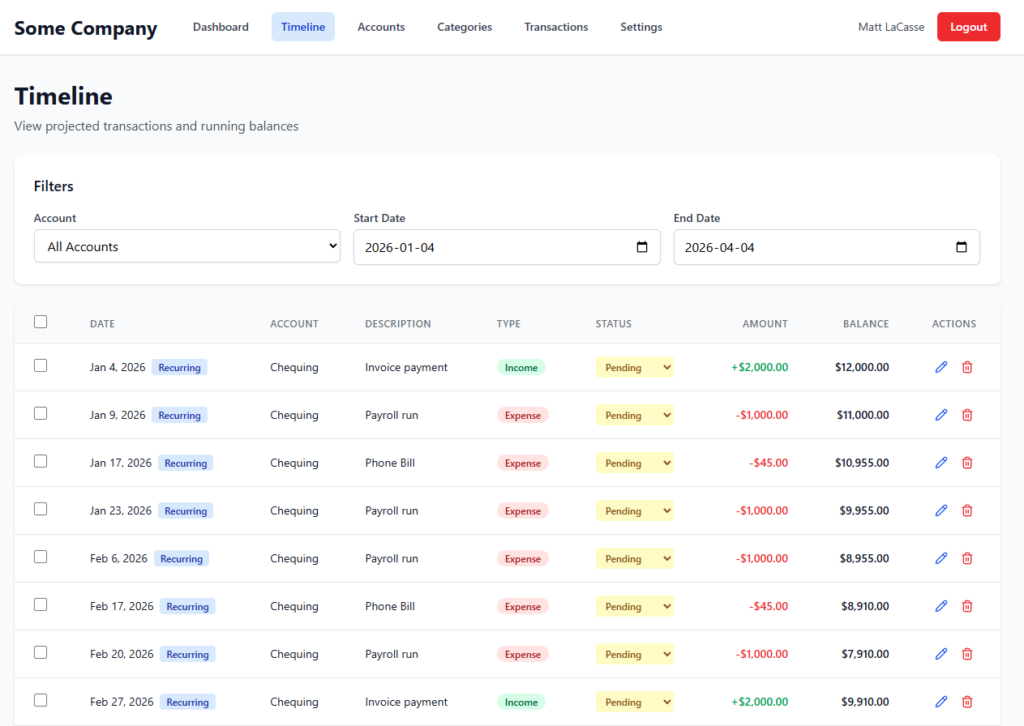
For a long time, I’ve been a skeptic about AI-driven development. Sure I’ve tried GitHub Copilot for a few small things there and there, like a PCF control for a demo I was doing at a conference. But even with that, my inner skeptic has been a loud and persistent presence in my AI journey.
One doesn’t have to look further than message boards and comment sections to see the critics warning that the end result of these tools is often garbage. (LinkedIn being the exception)
They argue that developers spend more time reviewing and fixing buggy, AI-generated code than it would have taken to write it from scratch. Plus there’s the existential and ego part of it that scares me a bit. If these tools are as good as they say they are, uninitiated or lagging developers like me are in trouble. The reality today is we either learn or get left behind.
Holding onto that healthy dose of skepticism and my bruised ego, I decided to see for myself if these tools had matured beyond simple novelties. And the one screamed most often from the rooftops was Claude Code.
Like many, I have a backlog of personal projects. Web applications I’ve envisioned but never quite found the time to build manually. When I decided to dive into Claude Code, I didn’t want to start with a trivial “Hello, World!” My goal was ambitious: to replace a well loved but tedious spreadsheet, a cash flow forecasting spreadsheet for my consulting business, with a fully-fledged, modern web application.
Jumping Right In: A Full-Scale Project
My approach was direct: I fed Claude Code the functional requirements of the entire application right out of the gate.
I wanted to see if it could handle the complexity of taking a high-level concept and translating it into a working solution. What I discovered was Claude’s surprisingly collaborative “planning mode.”
Instead of simply generating code based on my initial prompt, I was surprised to see that Claude was more interactive than I thought. It presented me with a tabbed list of questions, guiding me through architectural decisions like the technology stack and database choices. I could select from its suggestions or provide my own responses. This process felt less like giving commands and more like co-designing the application. I could push back, Claude could push back. It seemed a healthy give and take.
Given my familiarity, I opted for a .NET Core backend and a React/Vite frontend, paired with a PostgreSQL database. Once all the decisions were made and I approved the refined plan, it was time for implementation.
Claude Code Setup
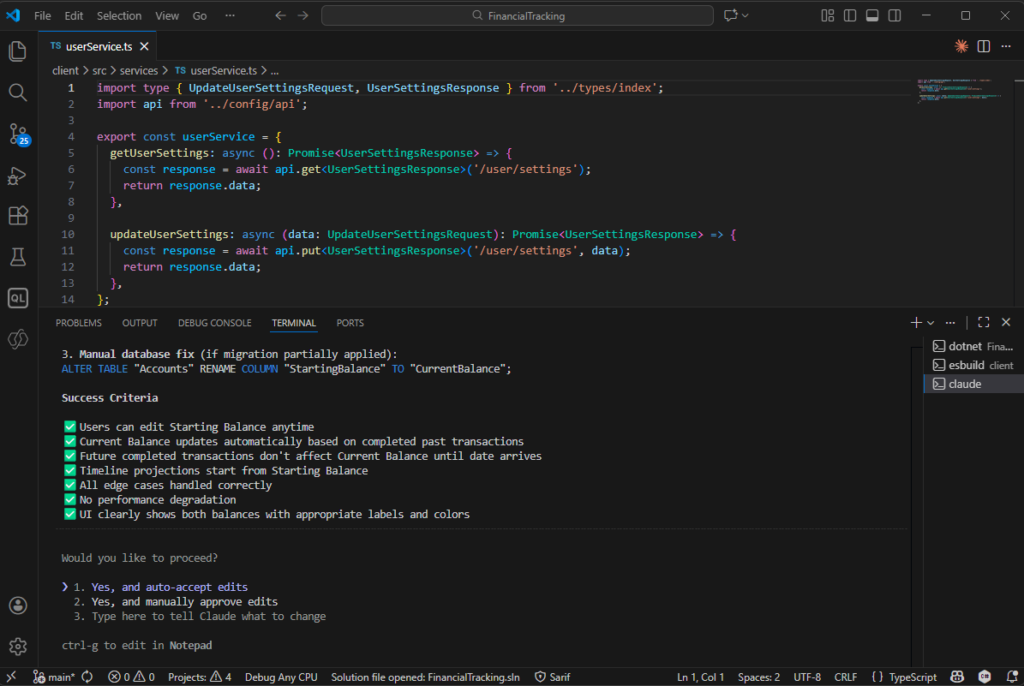
There are a few ways to run Claude Code, but I opted for the Command Line interface via VS Code for a few reasons:
- The availability of planning mode (apparently it is not available in the UI app)
- Familiarity – it feels more like developing in the terminal
- Features – the ability to see session capacity remaining, for example.
The Iterative Build: Backend First, Then Frontend
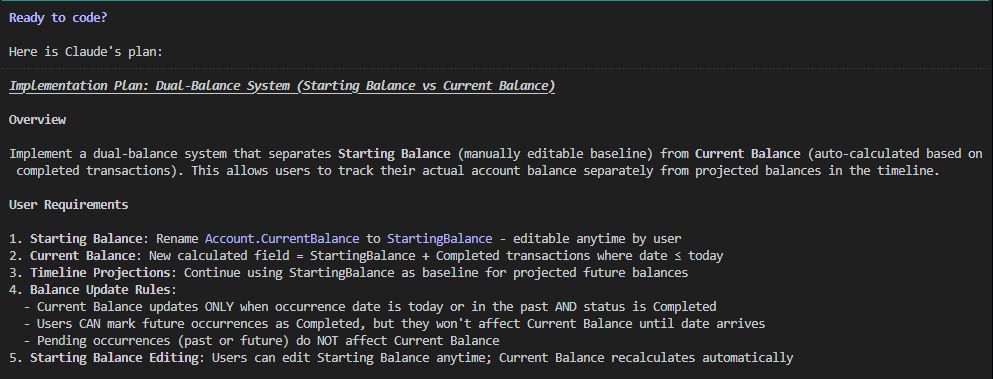
The implementation unfolded in a systematic way. Claude Code began by scaffolding the basic project structure: empty .NET Core projects for the API and a React/Vite project for the frontend.
It then moved to the data layer, leveraging .NET Entity Framework to create a migration for the PostgreSQL database. As the API functionality was built out, Claude adopted an interactive testing approach. It would generate new endpoints and then prompt me to test them via Swagger, ensuring that each piece was working as expected before moving on.
The frontend development followed a similar iterative pattern. Claude generated full pages, complete with React routing, TypeScript types, authentication contexts, and service integrations. The workflow involved a continuous loop: Claude would ask for input, make changes, and I would validate them directly in the browser.
All the while, I was able to fold laundry in between prompts and thinking and testing. What an age.
RIP My spreadsheet: Behold the Transaction Timeline!
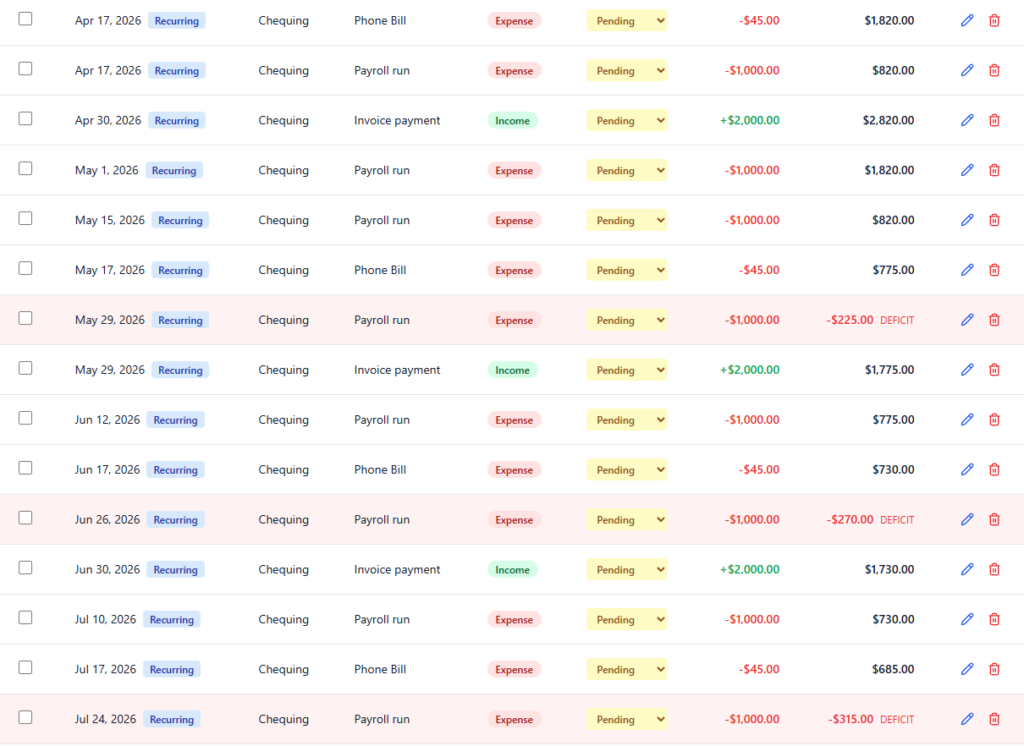
While the initial version of the app was “bare bones,” it laid a solid foundation. The real breakthrough, my “aha!” moment, came after many iterations when we (jeez, I’m speaking like it’s a coworker now) built the transaction timeline.
This feature allows me to see a list of all upcoming transactions and, crucially, what my account balance will be after each transaction completes. It’s like a bank statement that includes future activity, providing a proactive view of my cash flow weeks or months ahead.
It’s been around for many years, but I’m not going to miss that spreadsheet after seeing this.
Lessons Learned and Frustrations
My biggest lesson learned was the importance of detail in the initial prompt, and in all subsequent interactions. While Claude’s planning mode is excellent, I realized there were many functional details I knew I wanted but hadn’t explicitly specified upfront. More detailed initial prompts would have streamlined the planning phase even further.
On the flip side, not everything was seamless. One frustrating bug I encountered was an issue within Claude Code itself: the terminal window would occasionally get stuck in an infinite scroll, which disrupted the workflow and if stared at for long enough, could give you a headache. Hopefully help is on the way for that soon.
Despite these minor hiccups, my first experience with Claude Code was overwhelmingly positive. The ability to articulate a vision and see a full-stack web application emerge within 24 hours was nothing short of sorcery.
However, it’s clear that this, or any of these tools, are only as good as the prompts you provide and the person using it. It’s a powerful partner, but it requires a knowledgeable person in the driver’s seat who can guide it, validate its work, and understand the underlying code and infrastructure.
For those willing to collaborate, it can bring projects to life with incredible speed.